CSS & Projects

Projects, Scrum, Trello & Code

Scrum Workflows : Development and Testing

At work, we use Scrum. An agile methodologie where you make one-week increments to your project. Each increment is build with enough user-stories to fill a week of development (look for velocity in this very blog).

Developers are obviously important in this process, as they build the project. While important, you could reduce their project management part to two workflows.

The main one is the Development workflow :

Development workflow :

The developer looks for the next Card he has to do in the Sprint Backlog. He puts the card in Implementation, and work on it. Once finished, he pushes the card in Implementation done (A tester is going to take it, but it does not really matter for the developer).

The second worflow is not meant only for developers, but rather for everyone on board :

“I got an idea” workflow

When someone has an idea, he writes it down in the Product Backlog. If possible, he should write it as a user-story, telling the story of someone achieving an action using the project.

As a user, I want to rank lists according to their importance because it will help me prioritize them for the next iteration. A user-story, from the viewpoint of a user
Efficient Language Learning

I’m lazy.

Someone said “Good developers are lazy”. I think it could be applied to language learning.

I’m learning chinese. Which is one of the worst languages to pick if you’re not chinese. 2200 hours of learning, when italian or english would require 600 hours !

So, in order to read texts in Chinese without learning all the characters (汉字 - hanzi : character), I wanted to know which characters appeared the most in a given text, learn them and get most of the text for a minimal amount of work.

I thus decided to develop this small script (which has the side effect of improving my feeble JS skills) :

See the Pen Get the most used characters in a text by Pierre (@Marekje) on CodePen.

How-to : Change the text in the id="text", in the HTML tab, , and automagically see which characters occurs most often.

It was fun to do ! Now I need to use my design skills and make that more user-friendly :–)

Velocity in Scrum

Scrum has a method called Velocity. Its goal is to predict the speed of your team for the next Sprint.

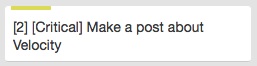
First, you calculate how many man-hours you will have this week. Lets say, 30 hours. Second, you predict how much time each story is gonna take, and write it on the Card like that (in Trello):

A Trello Card with velocity

I personally use [0] for 20 minutes, and then [1] to [5], respectively 1 to 5 hours (or more than five, but you should break user-stories that take more than 2 hours anyway).

Once you’ve done that for each Card in the product backlog, you take as any Cards as you can, given your available man-hours.

What’s interesting now is to compare during the sprint how much time you still have and how many Cards you have left. You can then predict if you’ll finish the sprint or not.

And at the end of the sprint, you will know how many man-hours you can really achieve, and be more accurate in the number of Cards for the next sprint.

Burndown Charts

A Burndown chart For easy comparing, Scrum recommends Burndown Charts drawing this chart everyday helps you see the ideal sprint (blue) and your sprint (red).

Wikipedia’s links :

How I Made This Website

It took me a while to be able to make this blog happen.

First, I did it with wordpress, and it worked like a charm, but wordpress’s clumsy and huge and hardly modifiable. So I wanted to change.

Through oozled.com, I found jekyll, whose “static website” appealed to me because it meant something simple without a database. I’m no developer…

But I couldn’t install Jekyll, thanks to a missing gem and some other stuff. But Octopress, a blog engine based on Jekyll, worked! 10 minutes and I was all set up.

How I did it:

First, create your username.github.io repository in github. – Second, follow that : octopress: setup

And then, to push a new blog post, or any changes I guess :

  • rake generate
  • rake deploy

Modifying/Customizing your blog:

I think that’s all I/you need :–)